
Desktop and mobile operating systems natively support some common file formats, but that coverage is still limited. On Windows, previewing a file in File Explorer depends on components specific to each document type: Microsoft, for example, distinguishes between preview handlers for Office documents and those designed for PDFs.
A preview that fails doesn’t mean the file is corrupted; it simply means the right component isn’t installed. On Android, built-in file managers hand off files to third-party apps, with varying results depending on the format.
Looking for an app to open all files seems like a logical response to this fragmentation. The promise of a single tool that can read everything, from PDFs to CAD files, is appealing. But before entrusting your documents to an app, there are a few things to check.
File won’t open or displays incorrectly: what really happens when you open it
A file that won’t open generates a visible error message. The more insidious problem lies elsewhere: a file opens, but its contents aren’t displayed correctly.
A .docx document opened in an alternative office suite may lose its layout, embedded fonts, or macros. The Document Foundation, which develops LibreOffice, acknowledges that OOXML formats (DOCX, PPTX) remain complex to handle and that compatibility with these formats continues to improve. The file opens and the text appears, but a misaligned table or distorted chart can lead to a misinterpretation of the content.
PDF files may seem more straightforward because the format is standardized. In practice, a PDF containing interactive forms, layers, or digital signatures may not work properly in a basic reader. Some readers display the text but ignore form fields, making the document unusable for its intended purpose.
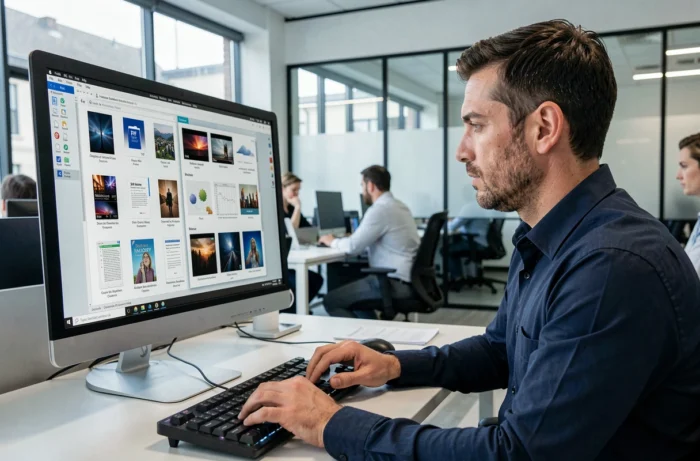
Windows’ built-in preview feature illustrates this discrepancy well. Microsoft may disable previews for certain file types for security reasons. A user who finds that a document preview no longer works might wrongly conclude that the app is malfunctioning or the file is damaged, when the feature has been disabled to reduce the risk of code execution in the preview pane.
Android permissions: what a file-reading app requests and why you should be cautious
On mobile, the issue goes beyond simply how files look. An app that promises to read every file format needs access to the device’s storage. The scope of that access varies considerably from one app to another.
Google Play applies the principle of granting the minimum permissions necessary for access to all files. A PDF reader doesn’t need to read your text messages or access your camera. When a file-reading app requests full storage access without an obvious technical reason, you should check whether that request is justified by what the app actually does.
- A document reader should request access to the types of files it supports, not unrestricted access to the device’s entire storage.
- Network permissions (Internet access) aren’t necessary for an offline reader. If the app requests them, it’s probably transmitting data, at least for advertising purposes.
- Access to your list of installed apps, contacts, or location has nothing to do with reading files. Any such request is a sign that the app may be collecting data.
Before installing a universal reader from an app store, take less than a minute to check the list of requested permissions and avoid granting disproportionate access to potentially sensitive documents.
Office suite, PDF reader, or universal app: comparing the trade-offs
There are three approaches to supporting a wide range of formats, and each has its limitations.
Full office suites for desktop and mobile
LibreOffice on desktop and its mobile equivalents support open ODF formats as well as Microsoft formats. They offer broad coverage for office documents. However, these suites can’t read specialized image files or engineering formats (DWG, STEP). Nor can they replace an advanced PDF reader for interactive forms.
Dedicated PDF readers
Specialized PDF readers focus on this format and a few common image formats. Their specialization ensures better rendering of complex documents, but you’ll need another tool for anything that isn’t a PDF.
Universal apps
So-called universal apps offer maximum coverage on paper, but their rendering quality for each format doesn’t match that of a specialized tool.
Practical criteria for choosing a file reader
Instead of looking for an app that promises to do everything, identify your actual needs to reduce the risk of unpleasant surprises.
- List the formats you actually work with every day. Most users only need PDF, DOCX, XLSX, and a few image formats (JPEG, PNG). An office suite and a PDF reader cover these needs without requiring another app.
- Test how the app handles a complex file before adopting it. A pivot table in an .xlsx file or a PDF with forms is a good way to test rendering reliability.
- On mobile, favor apps that request limited storage access over those that request full access. Readers that work with the system’s file picker are preferable.
- Distinguish between viewing and editing. A reliable reader for viewing isn’t necessarily suitable for editing a document. Trying to edit a file in a basic viewer can corrupt its formatting when you save it.
Looking for a single tool that opens absolutely everything often means accepting compromises in rendering, security, or permissions. Combining two or three specialized apps chosen for the formats you actually use remains the most reliable way to protect your documents and preserve their visual fidelity.